Skip to story

Have you tried making a new habit?

You started strong.

Failed.

You tried again on Monday.

Failed.

You promised this time would stick.

Failed.

We've got a solution.

But let's tackle it step by step.

Introducing Rung.

Cold open

Compare streaks that can't be faked.

See where you land against friends on a leaderboard built on work Apple Health actually confirmed, not taps you remembered to make.
The problem

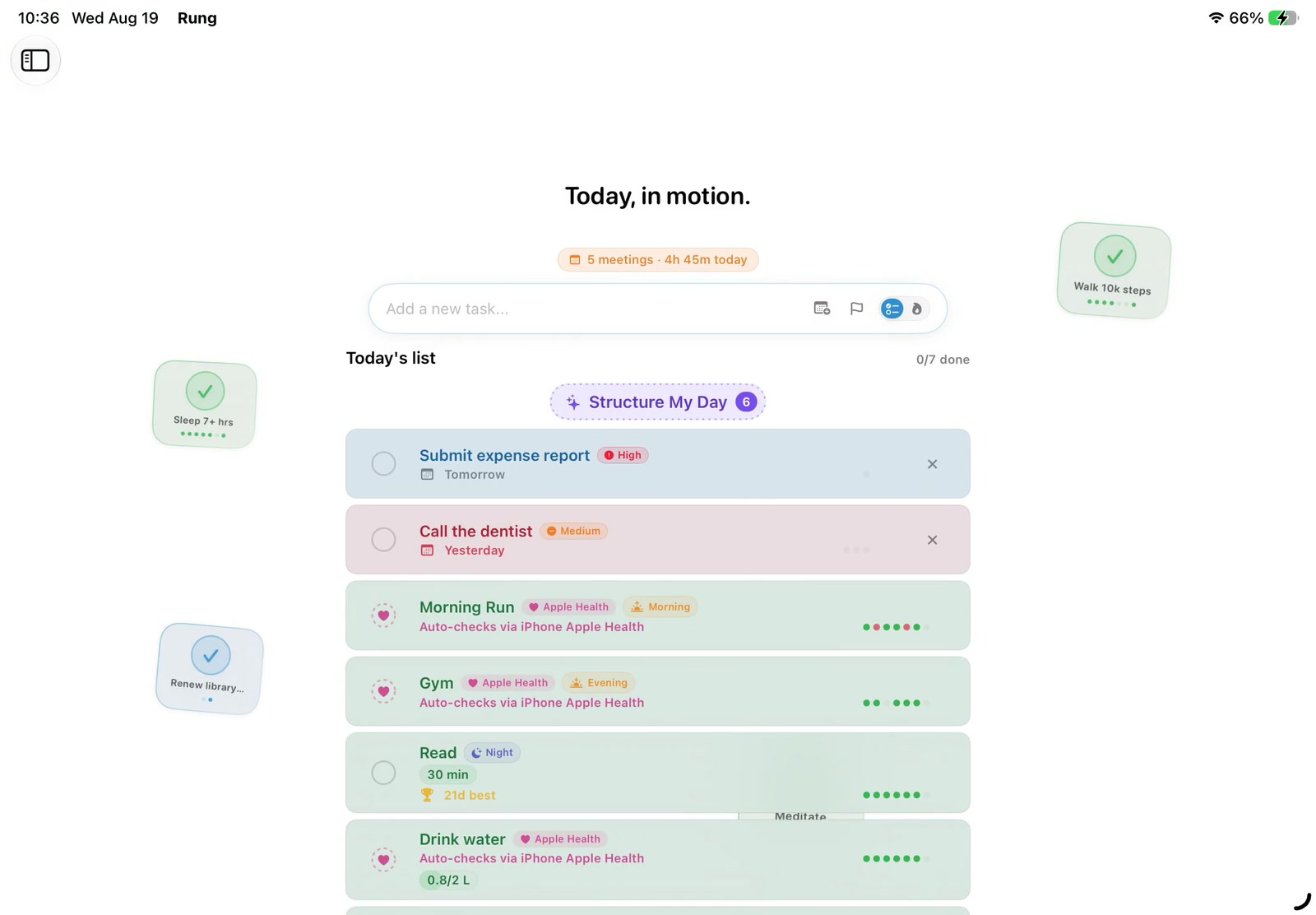
You tapped a box. The app believed you.

Every habit app runs on the honor system. It records what you claim, not what you did, and a number built on claims cannot tell you anything true.

So the streak stopped meaning anything.

Once you have padded it a few times it is just a number you maintain. Two weeks later the app is off your home screen.

The fix

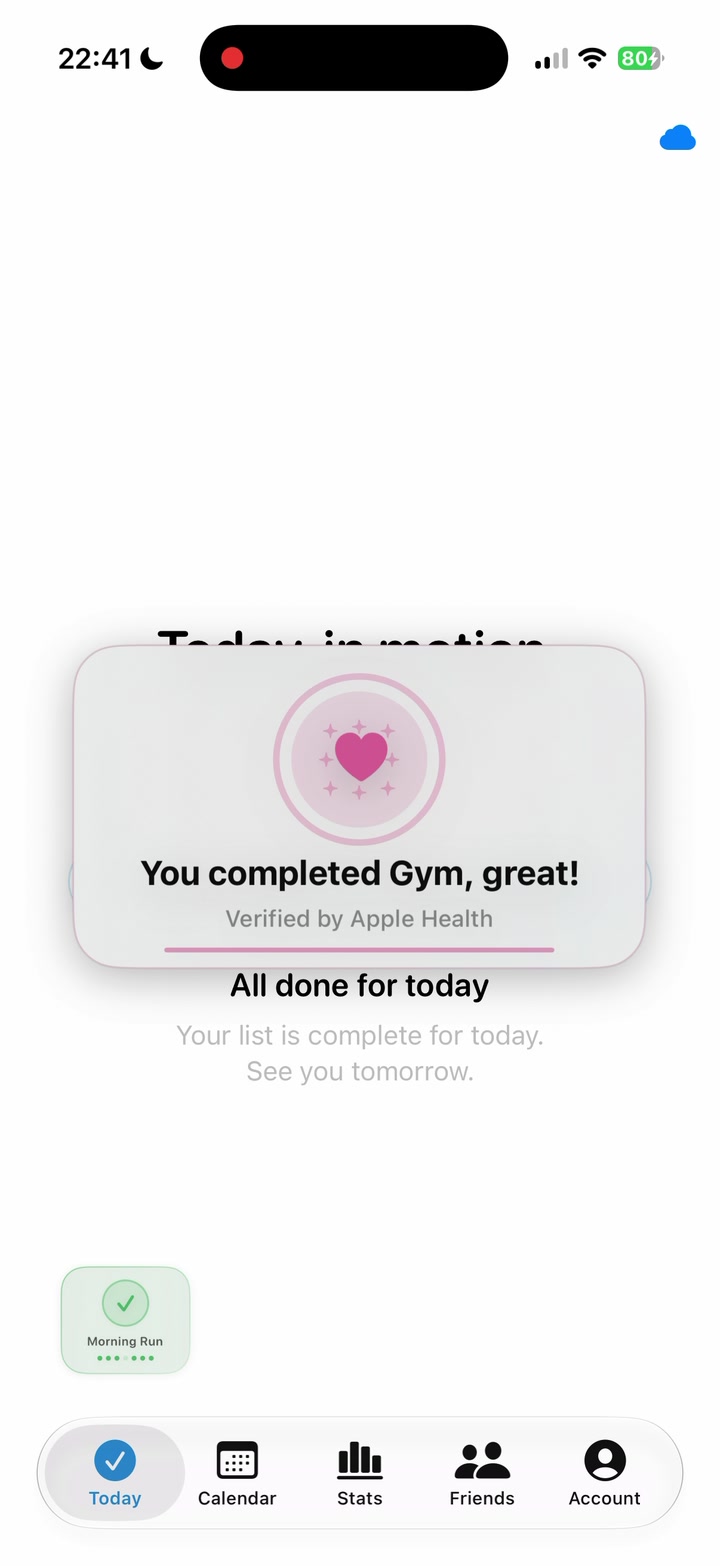
The habit closes itself.

A run, a workout, a sleep goal, a step target. When Apple Health confirms the work, Rung completes the habit. Nothing to remember, nothing to fake.
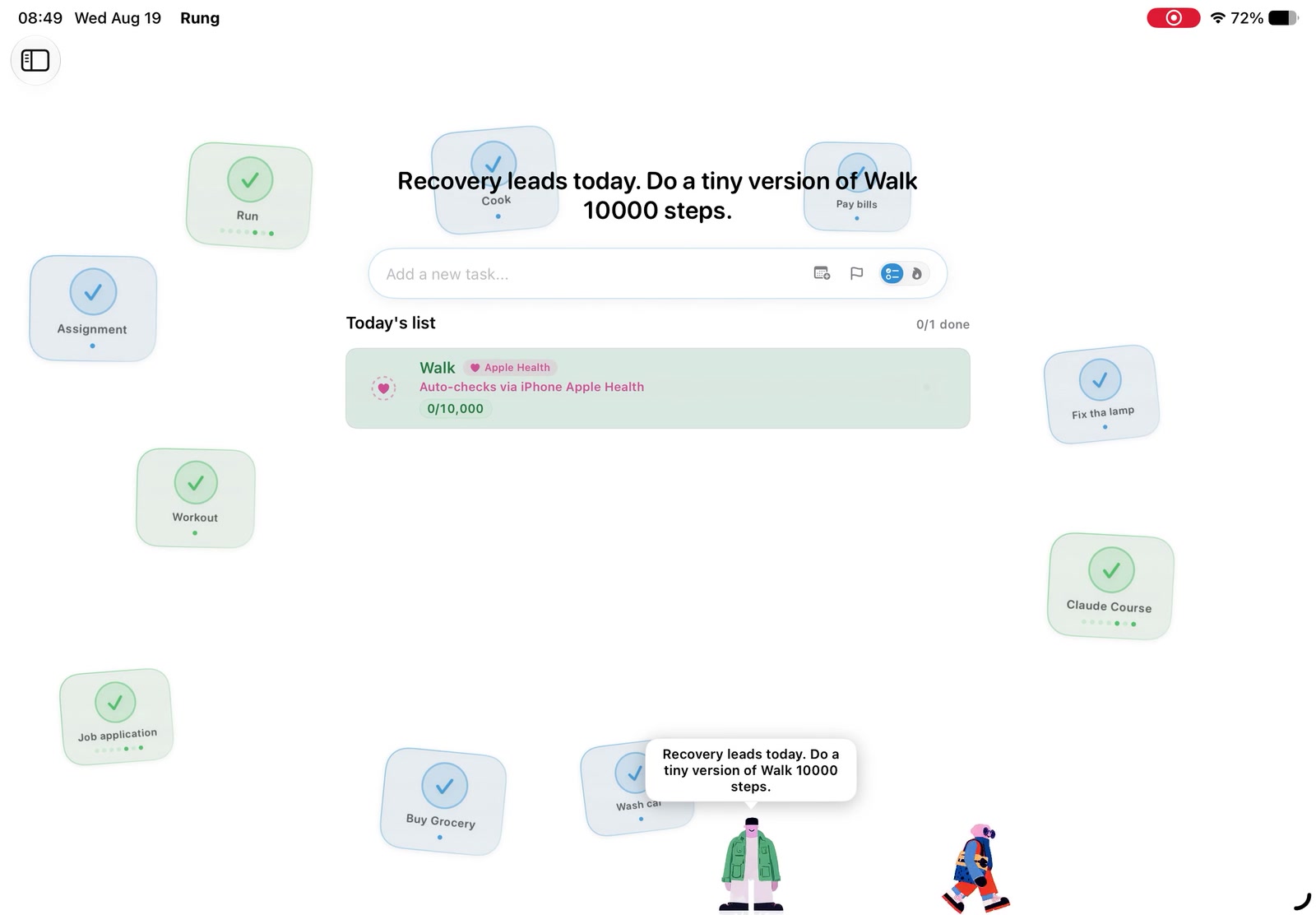
Not everything has a sensor.

Habits that cannot be verified stay manual, and Rung labels them as exactly that. Honest data means knowing which is which.
What proof unlocks

Proof becomes a real plan.

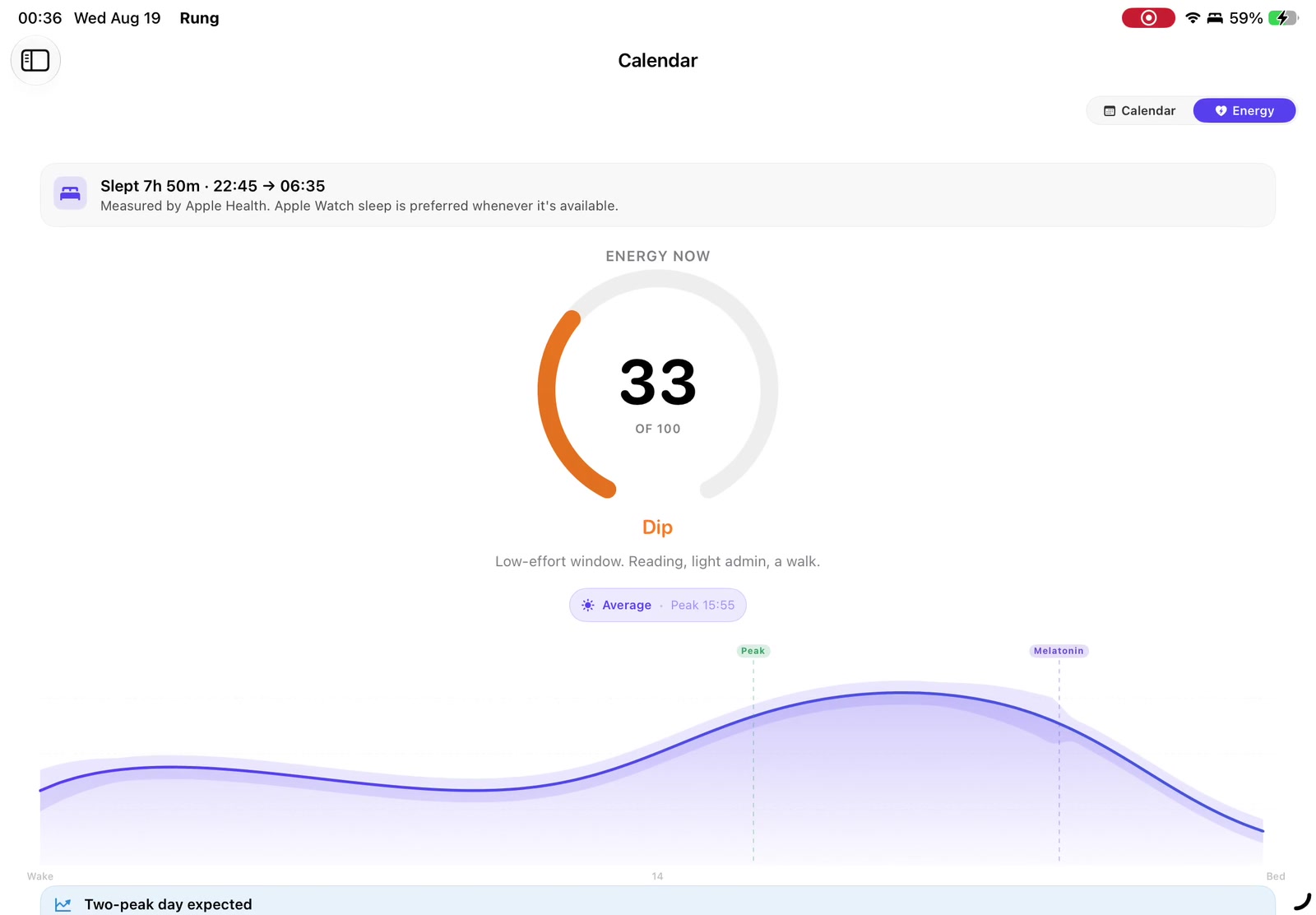
Rung reads your calendar, your habits, and your verified history, then lays the day out in an order that survives contact with it.
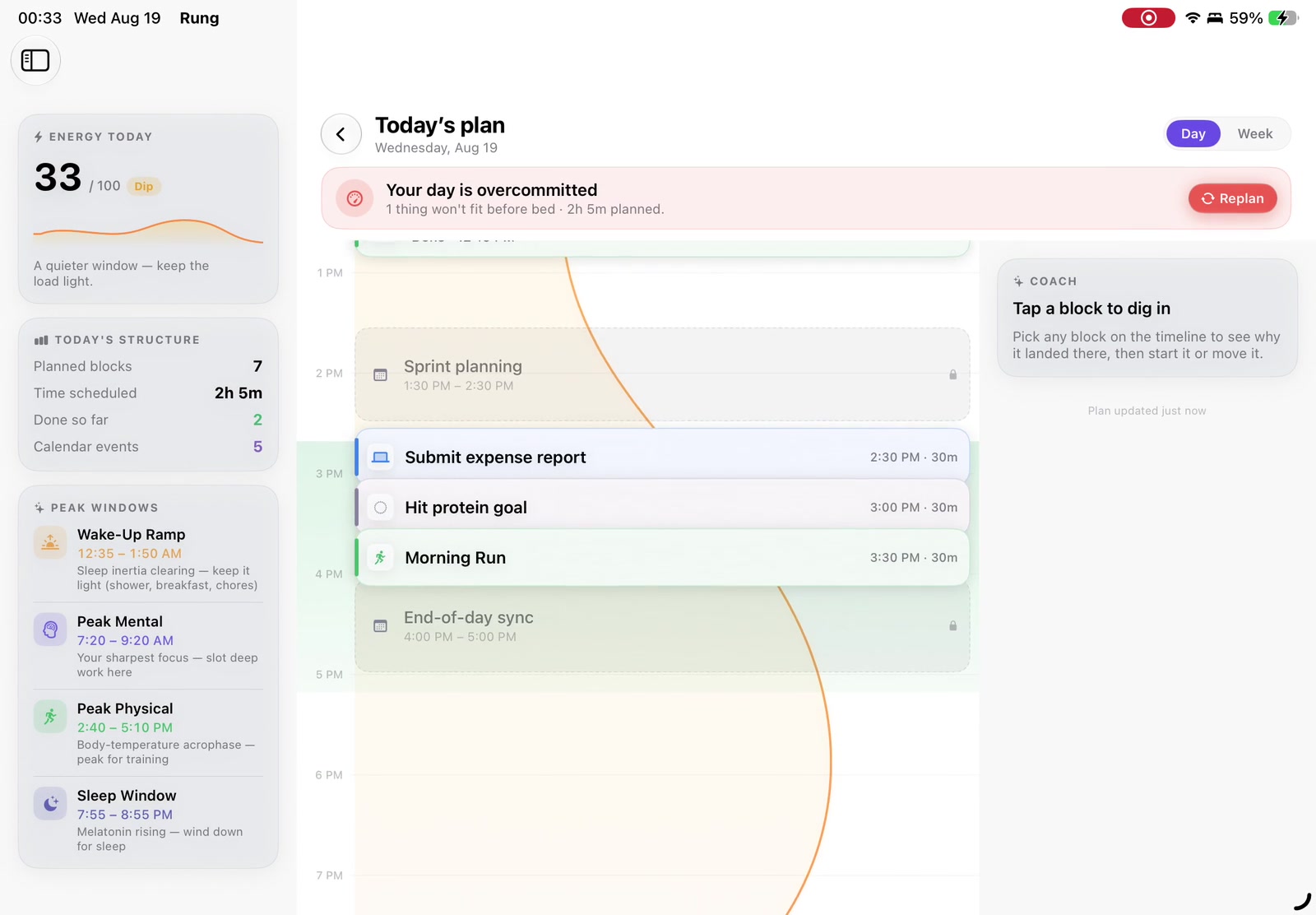
Planned around your sleep, not your optimism.

Verified sleep and activity shape the forecast, so demanding work lands where you can actually do it.
Where you already are.

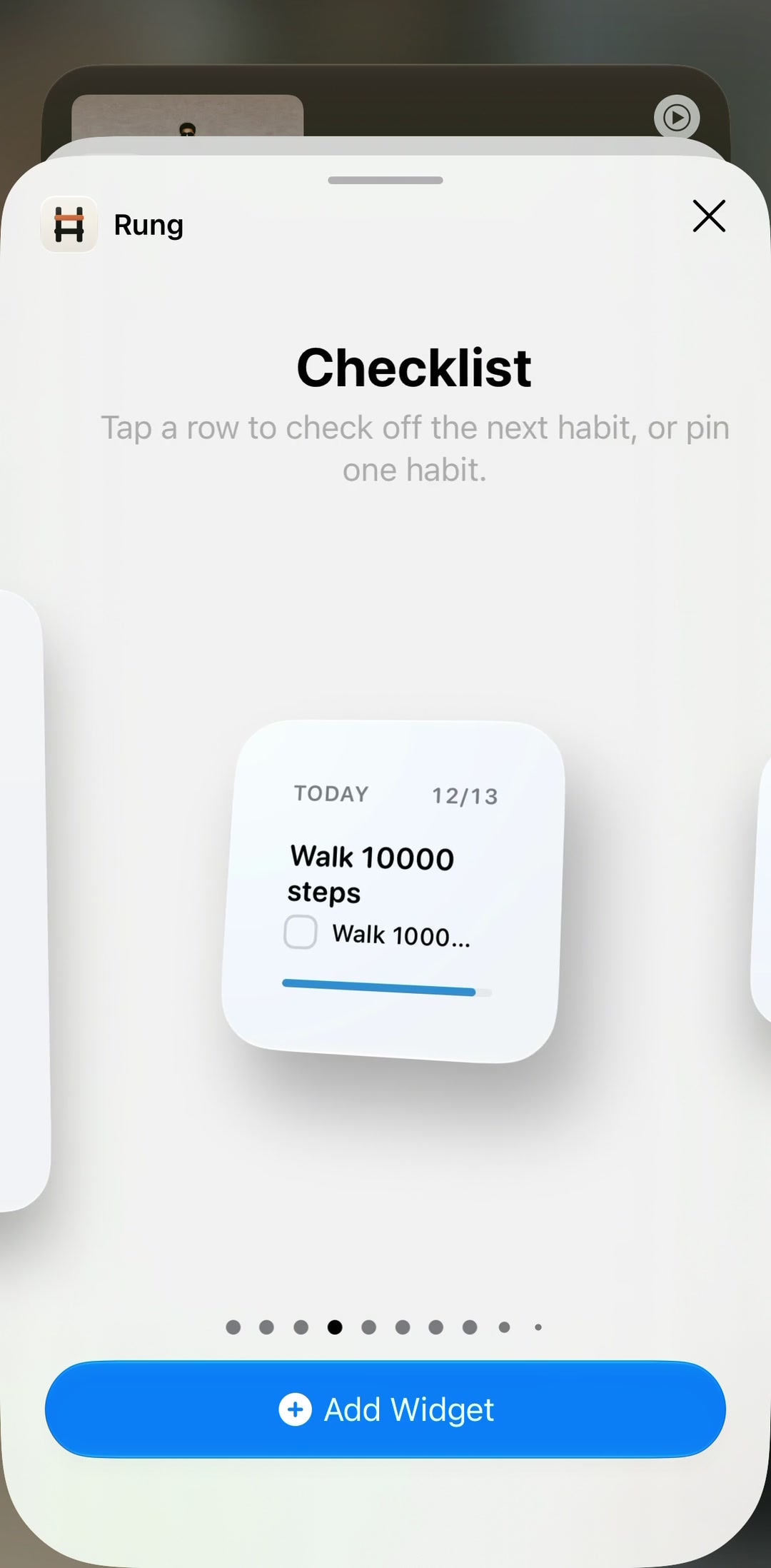
Widgets, Live Activities, Shortcuts, and a watch app that closes a habit from your wrist.
Support

Almost nobody does this alone.

Motivation from yourself is the least reliable input there is. It turns up when things are easy and goes missing exactly when they are not. That is not a character flaw, it is just how it works.

So Rung gives you someone, and people climbing beside you.

Bruce checks in through the day, sees the same verified history you do, and says something when you have taken on too much. Human mentors run alongside him on fourteen-day terms, and you choose what they get to see. Every mentor was a mentee, which is why the guidance runs in both directions instead of down.

The record

Proof, stacked.

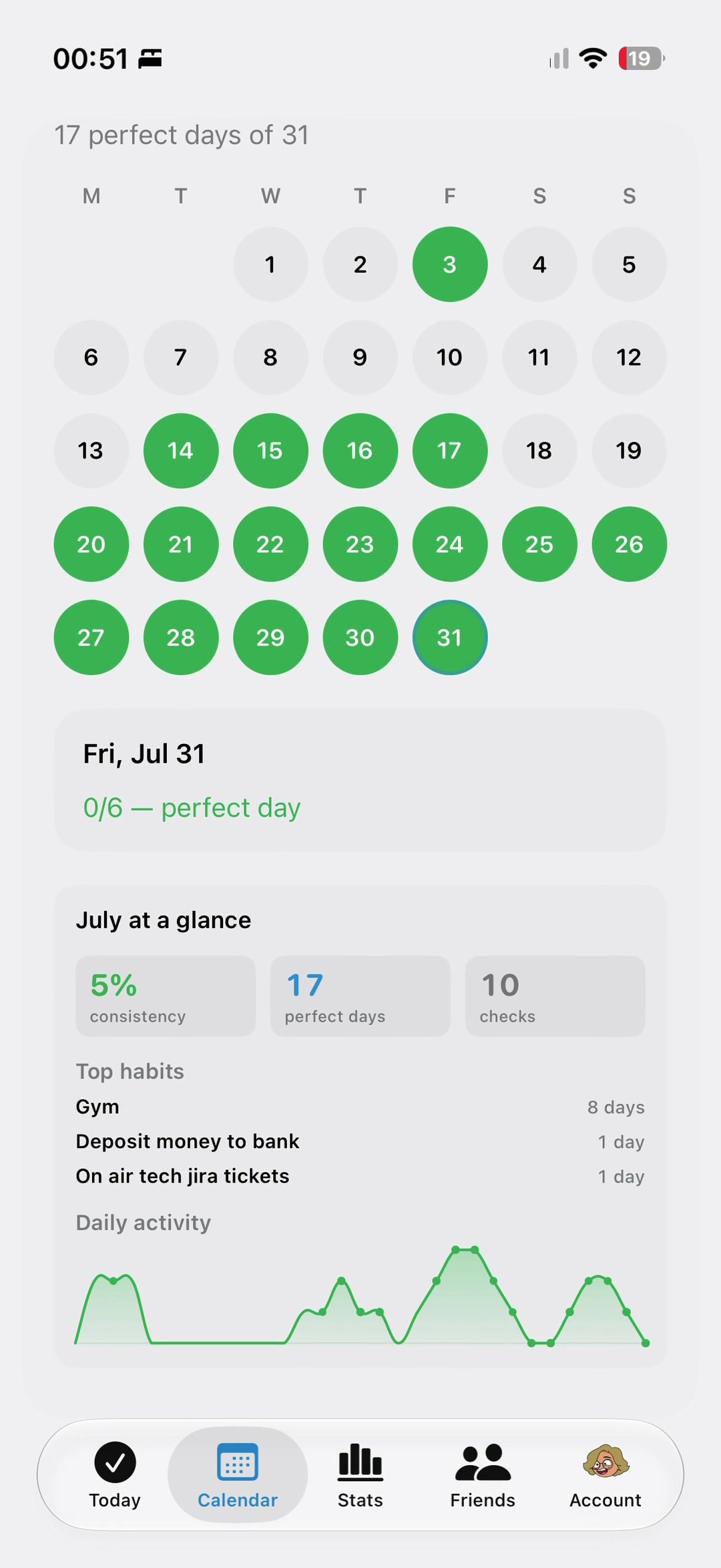
Perfect days accumulate into a record that means something, because every day in it was verified when it happened.
Summit

Your data stays yours.

Health data is read on device. Rung asks for what it needs to verify your work and nothing beyond that.
Everything else it does.

The climb makes one argument at a time. Here is the whole product in one place, for when you want to know exactly what you are getting.

Habits and tasks

  • Habits and tasks together

    Habits repeat, tasks happen once with a due date and a priority. They share one list.

  • Weekly targets and rest days

    Set a habit to five times a week and Rung budgets your two rest days. Resting never breaks a streak.

  • Specific weekdays

    Or pin a habit to Monday, Wednesday, Friday. Off days simply do not count against you.

  • Streaks and perfect days

    Current and best streaks, plus the days where every habit due actually landed.

  • Streak freeze

    Earn one freeze a week and spend it to protect a day you could not make.

  • Reminders that read the room

    Nudge by time, by place, after a calendar event, or at your energy peak.

  • Done from the notification

    Check a habit off from the banner without opening the app.

  • Handwritten reflectionsiPhone and iPad

    Sketch how it felt on a habit or a day with Apple Pencil. Stays on your device.

Verification

  • Apple Health auto-verification

    Workouts, steps, mindful minutes, sleep, hydration, protein and more close the habit themselves when the data lands.

  • Screen Time verificationiPhone and iPad

    Stay under your own daily social cap and the habit verifies. Which apps you use never leaves the device.

  • Proof-weighted scoring

    An auto-verified check is worth ten times a self-reported one, and partial evidence five, so faking it costs you.

  • It knows what you meant

    Type “gym sesh” and Rung recognises the habit and offers to verify it. It never switches verification on behind your back.

  • Honest overrides

    You cannot hand-tap an auto-verified habit. Marking it done manually is recorded as exactly that.

  • Evidence on every check

    Each completion stores its source, tier, measured value and duration, so the history can be inspected later.

Planning your day

  • Structure My DayRung+

    Lays today's habits and tasks onto a real timeline around your meetings and your energy curve.

  • Replan around nowRung+

    One tap re-flows everything still outstanding around the current time. Anything you placed by hand stays put.

  • Your real calendar

    Reads today's events to find the gaps. Read only, and your event titles never leave the device.

  • Energy forecast

    Models alertness through the day from sleep pressure and your circadian rhythm, then names your peak, dip and second wind.

  • A curve that learns youRung+

    Personalises the amplitude and dip from when you actually do demanding work, and adds a readiness score from HRV and resting heart rate.

  • Sleep without a watchiPhone

    Infers last night's window from motion and device activity when there is no Apple Watch on your wrist.

  • Chronotype, learned

    After a couple of stable weeks Rung uses your own rhythm instead of assuming everyone is a morning person.

  • Timing stats

    When you usually do a habit and whether you are getting faster. Silent until it has enough data to be honest.

Focus

  • Pomodoro focus timer

    Twenty-five on, five off, a long break every fourth. Anchored to the wall clock so backgrounding never drifts it.

  • Start from the plan

    Launch a session straight from a habit card or a block in your day.

  • The session counts

    Finishing focus and marking the task done records the real duration on the completion.

  • Live ActivityiPhone

    The countdown lives on the Lock Screen and in the Dynamic Island.

  • Menu bar timerMac

    Phase and remaining time sit in the menu bar. Click to come back to it.

Accountability

  • Bruce, your AI mentor

    Checks in morning, midday, evening and night, replies in chat, and warns you when you have taken on too much.

  • He remembers you

    Bruce distils what he has learned about you each night and rotates through four different tones week to week.

  • Human mentor terms

    One-to-one mentorship on fourteen-day terms, matched on consistency, goals, timezone and wake rhythm, with the reasons shown.

  • Real-time chat

    Messages and read state arrive live rather than on a refresh.

  • You choose what is shared

    Four separate toggles for habits, consistency, sleep and trends. Your mentor sees only what you turn on.

  • Weekly reportRung+

    A written account of the week, what held and what slipped, in the app and in your inbox on Sunday.

  • Friends and leaderboard

    Follow people and compare weekly consistency, scored by verified work rather than taps.

Across your devices

  • Sync across your devices

    Check a habit on your watch and it is done on your iPhone, iPad and Mac. One account, one history.

  • Works offline

    Everything keeps working without a connection. Each day's changes queue separately and sync themselves when you are back, so one failure never loses another day.

  • Live updates

    Habit changes, sleep, follows and messages stream in without a manual refresh.

  • Start without an account

    Use Rung fully signed out, and sign in later when you want it on more than one device.

  • Sign in with Apple

    On iPhone, iPad, Mac, Apple Watch and the web. Email and password work too.

  • Take your data or delete it

    Export everything as JSON, or delete the account and all of it from inside the app.

Native to Apple

  • Seven widgets

    Today, Checklist, Leaderboard, Week, Forecast, Perfect Days, and Now and Next. Check a habit off without opening the app.

  • Control Centre and Action ButtoniPhone

    A Rung control you can put in Control Centre, on the Lock Screen, or on the Action Button.

  • Apple Watch app

    Habits, tasks, adding by voice, calendar, stats and account. It talks to the server itself, so it works with your phone asleep.

  • Workouts from your wrist

    Start a real workout on the watch and it verifies the habit on your iPhone when it ends.

  • Watch complications

    Today's completion and your current streak, on the watch face.

  • Siri and Shortcuts

    “Mark meditate done in Rung.” It refuses to hand-mark anything auto-verified, as it should.

  • Spotlight and Handoff

    Find a habit from Spotlight, and carry what you were doing between devices.

  • Mac menu bar and windowsMac

    Energy and your next habit in the menu bar, keyboard shortcuts throughout, and the calendar in its own window.

Intelligence

  • On-device coachingApple Intelligence devices

    Habit timing advice and your daily line are generated on the device itself, so the text never leaves it.

  • Plain-language setup

    Type “gym 4 days a week” or “yoga Mon Wed Fri” and Rung sets the cadence. Handled by plain parsing first, and a model only when that is not enough.

  • It falls back gracefully

    When a model is unavailable Rung uses written copy instead. You never see an AI error.

The record

  • Perfect-day calendar

    A year at a glance, with any month or day open to inspection.

  • Wrapped

    A recap of your month or year built only from days that actually held. Quiet months drop the empty cards instead of showing zeroes.

  • Sign your posteriPhone and iPad

    Put your own signature on a Wrapped poster with Apple Pencil before you share it.

  • Rung Frames

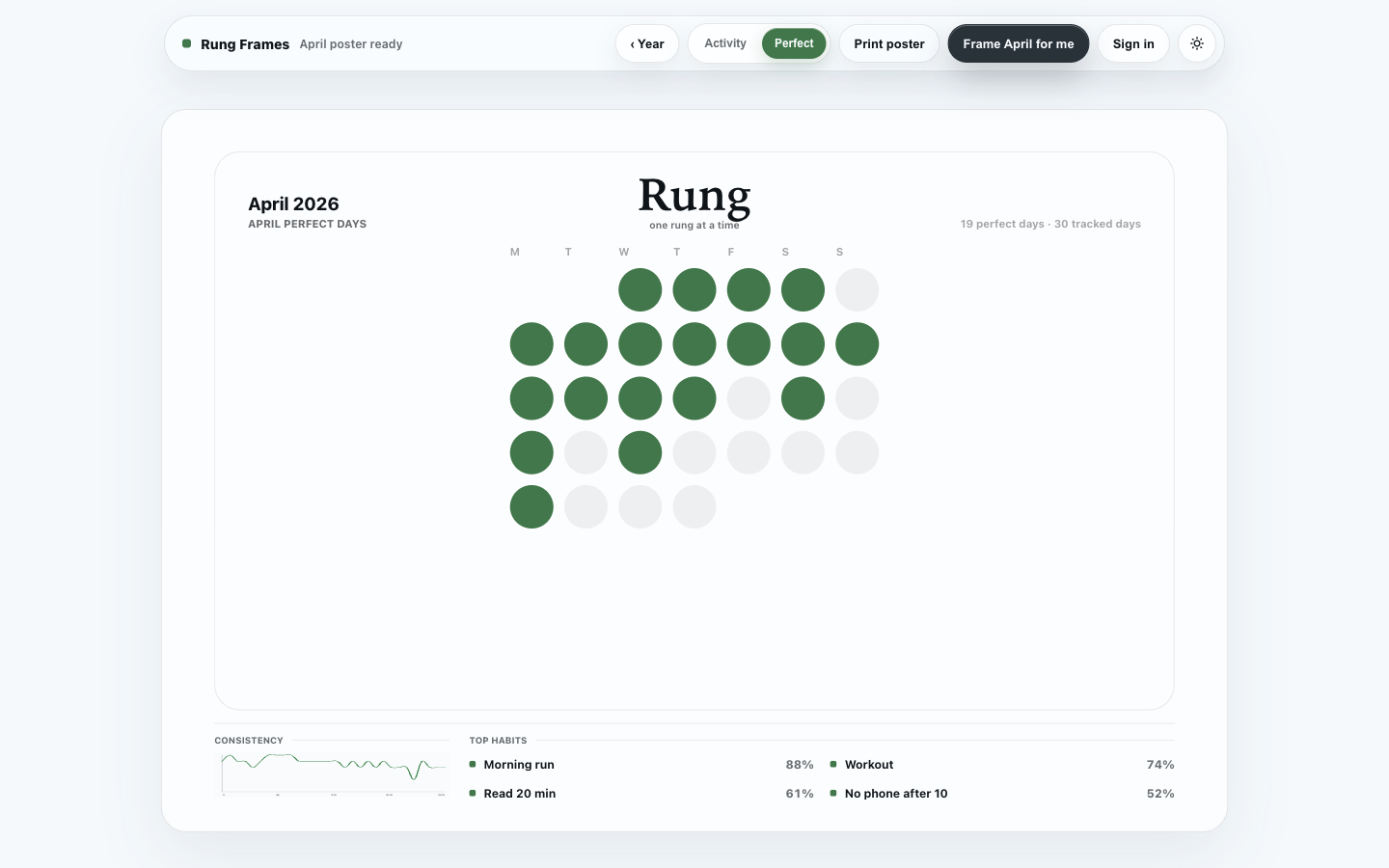
    Your year as a print-ready poster you can print at home for free.

  • Badges

    Earned for real milestones: first check, a week active, a month of proof, a hundred-day frame.

Privacy

  • Rung never writes to Apple Health

    Health access is read only, limited to the specific types it verifies.

  • The sensitive parts stay put

    Calendar titles, which apps you use, and your handwriting never leave the device. Only whether you stayed under your cap is synced.

  • Encrypted where it matters

    Personal fields are encrypted on the server rather than sitting in plain text.

  • No tracking

    Rung's privacy manifest declares no tracking and no tracking domains.

Rung+

  • Pay what feels fair

    Pick anything from three to ten dollars a month. Every price gets exactly the same Rung+.

  • Or earn it

    Mentoring well unlocks the same capabilities as paying for them, one level at a time.

  • Everything else is free

    Habits, verification, streaks, focus, the energy forecast, widgets, the watch app, Wrapped, sync and the mentor are not behind the paywall.

One Rung+. You set the price.

Every price unlocks the same planning, insight, and reflection tools. Pick what feels fair.

Monthly, cancel anytime

$6per month

Plan the day and week

Structure My Day and energy-aware planning place work where it fits.

Go deeper on energy and sleep

Advanced forecasts and sleep analytics reveal the patterns underneath the plan.

Reflect with a weekly report

Wins, risks, and a next-week plan turn progress into a useful review.

Then put the year on a wall.

Rung Frames turns your perfect days into a print-ready poster. It is worth framing for the same reason the streak was worth trusting: every day on it was verified when it happened. A year becomes available the January after it ends.

Your real year, not a badge

Perfect days, consistency, and the habits you actually kept.

Print at home, free

Sign in, pick the year, and print it on your own printer. The poster stays light even when the app is dark.

See Rung Frames
A Rung Frame poster showing April perfect days, consistency, and top habits
April perfect days, ready to print.

One Rung, everywhere you are.

Start a habit on your phone, verify it from your watch, and plan tomorrow on your iPad or Mac. It is the same day everywhere, because it syncs automatically the moment anything changes.

Auto sync, always on

iPhone 17 Pro

Your day, verified as it happens.

iPad Air

The wide view: plan, energy, and history together.

Apple Watch

Close a habit without ever opening your phone.

MacBook Air

The same Rung, full-size, wherever you work.

Build a streak that means something.

Rung is in pre-launch testing across iPhone, iPad, Mac, and Apple Watch.

Open Rung